Smartphone Requirements Drive Student Bus Discount Efficiency
Table of Contents
- Policy Overview and Implementation of Smartphone-Based Student Bus Discount Programs
- Comparison of School Districts and Transit Providers Enforcing Smartphone Requirements
- Step-by-Step Procedure for Designing a Pilot Program
- Decision-Making Flowchart for Student Eligibility Verification
- Technological Requirements and Student Accessibility for Smartphone-Based Bus Discount Programs
- Hardware and Software Specifications for Discount Eligibility
- Barriers to Accessibility and Proposed Solutions
- Development of a User-Friendly Mobile App for Discount Verification
- Privacy and Security Considerations in Smartphone-Based Student Bus Discount Programs
- Data Collection Practices in Smartphone-Based Discount Systems
- Best Practices for Securing Student Data in Transit Apps
- Comparison of Privacy Risks: Smartphone-Based vs. Traditional Discount Methods
- Privacy Policy Template for Schools
- Impact on Student Behavior and Equity in Smartphone-Based Student Bus Discount Programs
- Behavioral Shifts Associated with Smartphone-Based Discount Programs
- Case Study Outline: School Transition from Smartphone to Alternative Verification
- Survey and Focus Group Methodology for Assessing Student Experiences
- Demographic Disparities in Smartphone Access and Long-Term Educational Impact
- Alternative Solutions and Hybrid Models for Student Bus Discount Verification
- Alternative Verification Methods Without Smartphone Requirements
- Hybrid Verification Systems: Integrating Smartphone and Non-Smartphone Options
- Negotiating Free or Low-Cost Devices for Eligible Students
As educational institutions and transit authorities seek sustainable solutions to reduce operational costs while enhancing safety, the integration of smartphone-based verification systems for student bus discounts has emerged as a transformative policy. This approach not only streamlines administrative processes but also introduces data-driven efficiency in managing transportation subsidies. However, its implementation raises critical questions about accessibility, privacy, and equity, demanding a balanced evaluation of technological adoption against the needs of diverse student populations.
The shift toward smartphone-dependent systems reflects broader trends in digital governance, where convenience often intersects with exclusionary risks for marginalized groups. Schools and transit providers must navigate these challenges by designing inclusive frameworks that mitigate barriers while leveraging technology to optimize resource allocation. This discussion explores the operational mechanics, ethical implications, and alternative models that ensure the discount program remains both innovative and equitable.

Policy Overview and Implementation of Smartphone-Based Student Bus Discount Programs
The integration of smartphones into student bus discount programs represents a strategic shift toward modernizing transit systems while addressing financial, operational, and safety challenges. These programs leverage digital verification to reduce administrative overhead, minimize fare evasion, and enhance real-time monitoring. By replacing traditional paper-based or card-based systems with app-driven authentication, transit authorities and schools can achieve greater accuracy in eligibility tracking, cost recovery, and resource allocation. The policy aligns with broader trends in digital governance, where technology-driven solutions improve service delivery while maintaining transparency and accountability.The adoption of smartphone requirements for student discounts is justified by three core objectives:
1. Cost Efficiency: Reducing reliance on physical infrastructure (e.g., magnetic stripe cards, paper tickets) lowers printing, maintenance, and replacement costs.
2. Safety and Accountability: Digital verification enables real-time tracking of student ridership, reducing instances of unauthorized access or fraud.
3. Administrative Streamlining: Automated data collection eliminates manual record-keeping, allowing staff to focus on operational improvements rather than compliance checks.
Comparison of School Districts and Transit Providers Enforcing Smartphone Requirements
The following table outlines three leading examples of school districts or transit authorities that have implemented smartphone-based verification for student bus discounts. Each program varies in technical requirements, data handling practices, and verification methods, reflecting diverse operational priorities.| Provider | Location | Required App/Platform | Data Sharing Policy | Verification Method | Additional Compliance Features |
|---|---|---|---|---|---|
| Los Angeles Unified School District (LAUSD) Transit | California, USA | LAUSD Mobile Pass (via Apple/Google Wallet) |
|
|
Real-time alerts for late arrivals or missed stops, with parental notifications via SMS. |
| Transport for London (TfL) Student Oyster | London, UK | Contactless payment via NFC-enabled smartphones (Apple Pay/Google Pay) |
|
|
Integration with school attendance systems to cross-verify ridership with enrollment data. |
| Singapore School Bus Service (SBS Transit) | Singapore | MyTransport.SG app (government-issued digital wallet) |
|
|
AI-driven anomaly detection to flag suspicious ridership patterns (e.g., repeated no-shows). |
Step-by-Step Procedure for Designing a Pilot Program
A structured pilot program ensures that smartphone-based bus discounts are rolled out with minimal disruption while gathering actionable feedback. The following steps outline a phased approach, emphasizing stakeholder collaboration and iterative testing.Phase 1: Needs Assessment and Stakeholder Engagement
The initial phase focuses on defining program scope, identifying key stakeholders, and aligning objectives with district/transit authority goals. Critical stakeholders include:
Key Actions:
1. Conduct surveys or focus groups to gauge student/parent technology access and comfort levels with smartphone-based systems.
2. Partner with local tech providers to assess app development costs and scalability (e.g., cloud-based vs. on-premise solutions).
3. Draft a Data Usage Agreement (DUA) outlining how student data will be collected, stored, and shared, in compliance with regional laws (e.g., FERPA in the U.S., GDPR in the EU).
Phase 2: Technical and Policy Framework Development
This phase involves designing the verification process, selecting hardware/software, and establishing compliance protocols.
Critical Components:
Example Policy Excerpt:
"Students in grades 6–12 must present a valid digital pass via the [District Name] Transit App or approved mobile wallet. Primary students may use a parent/guardian-linked device with prior registration. Exceptions for students with disabilities will be processed through the Special Education Office."Phase 3: Pilot Implementation and Monitoring
The pilot should run for 3–6 months, targeting a single school or bus route to isolate variables. Metrics to track include:
Compliance Checks:
Phase 4: Iteration and Full Deployment
Based on pilot data, refine the program before district-wide implementation. Key adjustments may include:
Decision-Making Flowchart for Student Eligibility Verification
The following flowchart describes the logical sequence for approving or denying a student’s eligibility for a smartphone-based bus discount. The process balances automation with human oversight to ensure fairness and accuracy.Visual Elements and Logic:
1. Initial Trigger:
2. Data Validation Gate:
Technological Requirements and Student Accessibility for Smartphone-Based Bus Discount Programs
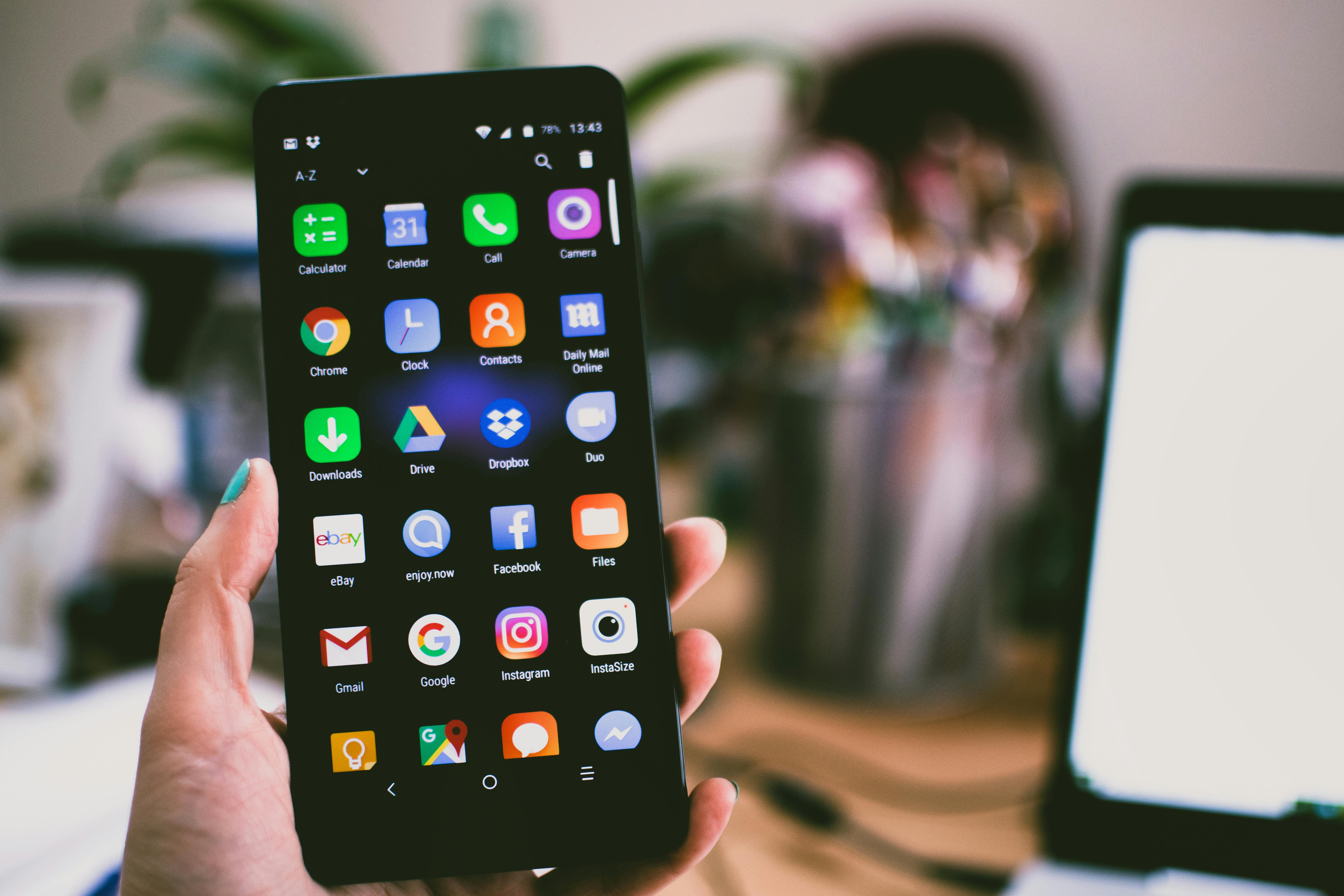
Smartphone-based student bus discount programs rely on seamless integration between mobile technology and transportation systems. To ensure equitable access, the technical specifications must account for diverse device capabilities while addressing barriers such as device ownership, connectivity, and digital proficiency. This section outlines the hardware and software prerequisites, potential challenges, and solutions to create an inclusive and functional system. Additionally, it details the development of a user-friendly mobile application and strategic partnerships with telecom providers to mitigate financial and technical obstacles for students.Hardware and Software Specifications for Discount Eligibility
To participate in the smartphone-based bus discount program, devices must meet minimum technical requirements that balance accessibility with security and functionality. The following specifications ensure compatibility while accommodating budget constraints, particularly for low-income students.Device Compatibility:
Smartphone Features:
Software Requirements for the Discount App:
Barriers to Accessibility and Proposed Solutions
Despite technological advancements, disparities in device access, digital literacy, and connectivity persist. Below are key barriers and actionable solutions to ensure inclusivity in smartphone-based bus discount programs.Barrier: Device Unavailability or Obsolescence
Students from low-income households may lack smartphones or use outdated devices incompatible with modern apps.
Barrier: High Data Costs or Limited Connectivity
Rural or low-income students may face exorbitant data charges or unreliable internet access, hindering app functionality.
Barrier: Digital Literacy Gaps
Students unfamiliar with smartphones may struggle to navigate the app, leading to frustration or exclusion.
Barrier: Privacy and Security Concerns
Students or parents may hesitate to use the app due to fears of data misuse or identity theft.
Development of a User-Friendly Mobile App for Discount Verification
A well-designed app must prioritize simplicity, reliability, and offline resilience while integrating modern authentication methods. Below is a technical and user experience (UX) breakdown for the discount verification system.Core App Features:
- Biometric Authentication:
- Offline Functionality:
- Accessibility Compliance:
App Development Workflow:
1. Prototyping: Create low-fidelity wireframes using Figma or Adobe XD, focusing on:
Privacy and Security Considerations in Smartphone-Based Student Bus Discount Programs
Smartphone-based student bus discount systems integrate digital authentication, real-time tracking, and payment processing to streamline transit access. However, these functionalities introduce significant privacy and security challenges, particularly regarding data collection, regulatory compliance, and vulnerability management. Schools and transit authorities must balance operational efficiency with the protection of sensitive student information, ensuring adherence to legal frameworks such as the Children’s Online Privacy Protection Act (COPPA) in the U.S. and the General Data Protection Regulation (GDPR) in the EU. This section examines the data practices involved, outlines best practices for securing student data, and compares privacy risks between digital and traditional discount methods.Data Collection Practices in Smartphone-Based Discount Systems
Smartphone-based bus discount programs rely on multiple data collection mechanisms to authenticate students, validate eligibility, and process transactions. These include:- GPS Tracking: Used to verify student location at bus stops or within designated transit zones, ensuring discounts are applied only during valid trips. Continuous tracking raises concerns about location data retention and potential misuse.
Regulatory Compliance Requirements
Under COPPA, student data collected by apps or services must be limited to what is necessary, disclosed to parents, and deleted upon request. GDPR imposes stricter rules on data minimization, explicit consent, and the right to erasure for students aged 16+ (or 13+ with parental consent). Schools must conduct Data Protection Impact Assessments (DPIAs) to identify risks and implement safeguards, particularly for minors whose data is subject to heightened protection.
Best Practices for Securing Student Data in Transit Apps
To mitigate risks, transit authorities and schools should adopt a multi-layered security approach. The following practices align with industry standards and regulatory expectations:Core Security Principles for Student Data ProtectionAdditional Measures for High-Risk Data
Encryption in Transit and at Rest: Use TLS 1.3 for data transmission and AES-256 for stored data, ensuring end-to-end encryption for all communications. Access Controls: Implement role-based access (e.g., administrators vs. transit staff) and multi-factor authentication (MFA) for all system logins. Data Minimization: Collect only essential data (e.g., anonymized location for routing, not continuous tracking) and purge unnecessary records within legal retention periods. Third-Party Audits: Conduct annual penetration testing and compliance audits by independent firms to validate security measures. Transparency and Consent: Provide clear, age-appropriate privacy notices explaining data usage, retention, and opt-out options, with parental consent for minors. Incident Response Plans: Develop protocols for data breaches, including notification timelines (e.g., within 72 hours under GDPR) and forensic investigation procedures.
Comparison of Privacy Risks: Smartphone-Based vs. Traditional Discount Methods
While digital systems offer convenience, they introduce distinct vulnerabilities compared to traditional methods like ID cards or paper vouchers. The following table contrasts key risks and safeguards:| Risk Factor | Smartphone-Based Discounts | Traditional Methods (ID Cards/Vouchers) | Safeguards for Digital Systems |
|---|---|---|---|
| Data Collection Scope | Continuous (GPS, app metadata, biometrics) | Limited (name, ID number, physical presence) | Implement privacy-by-design to limit collection to essential data; use on-device processing for biometrics. |
| Unauthorized Access | High (device theft, app vulnerabilities, insider threats) | Moderate (lost/stolen cards, forgery) | Deploy device-level encryption and remote wipe for lost/stolen phones; use hardware-backed keys for authentication. |
| Data Retention | Permanent (unless purged) due to digital storage | Temporary (physical destruction of vouchers/cards) | Enforce automated retention policies (e.g., delete GPS data after 30 days) and right to erasure compliance. |
| Third-Party Exposure | High (payment processors, app developers, cloud providers) | Low (limited to school/transit authority) | Require contractual data protection clauses with third parties and conduct supply chain audits. |
| Consent Management | Complex (minors require parental consent; dynamic opt-outs) | Static (one-time consent via ID issuance) | Use age-appropriate consent flows (e.g., parental PIN for under-13 users) and granular opt-out tools in the app. |
Privacy Policy Template for Schools
Schools should communicate data practices in plain language, tailored to the audience (parents, students, and staff). Below is a structured template incorporating COPPA/GDPR compliance and transparency principles:Title: [School Name] Student Bus Discount Program – Privacy Notice
Effective Date: [DD/MM/YYYY]
1. What Personal Information We Collect
We collect the following information to verify eligibility and process bus discounts:
We do not collect:
2. How We Use Your Information
3. Data Sharing and Security
4. Your Rights and Choices
Impact on Student Behavior and Equity in Smartphone-Based Student Bus Discount Programs
The implementation of smartphone-based student bus discount programs introduces behavioral and equity considerations that extend beyond technological feasibility. These programs may inadvertently alter student routines, reinforce socioeconomic disparities, or create unintended pressures to acquire devices. Behavioral shifts—such as increased screen time or reduced reliance on public transit—must be evaluated alongside equity concerns, particularly for students from low-income households who may lack access to smartphones. Case studies of schools that transitioned away from smartphone requirements offer insights into alternative verification methods, while structured surveys and demographic analyses can quantify the program’s impact on inclusion and exclusion.Behavioral Shifts Associated with Smartphone-Based Discount Programs
The adoption of smartphone requirements for bus discounts can influence student behavior in measurable ways, often tied to device ownership and digital dependency. Schools and transit authorities must anticipate these shifts to mitigate negative outcomes, such as:- Increased screen time and digital engagement: Students may develop habits of constant device interaction, particularly if discounts are tied to app-based verification or real-time notifications. This can lead to reduced attention during transit or academic settings, though some studies suggest commute time may be repurposed for educational content (e.g., audiobooks, language apps).
Behavioral changes are not inherently negative; however, their equity implications require proactive mitigation. For example, schools can integrate digital literacy workshops to encourage mindful device use during transit.
Case Study Outline: School Transition from Smartphone to Alternative Verification
Structure of the Case Study:1. Background Context
2. Equity Concerns and Triggering Events
3. Alternative Methods Implemented
4. Outcomes and Lessons Learned
This case demonstrates that equity-focused transitions require iterative testing and stakeholder collaboration. The hybrid approach ensured no student was left behind while maintaining administrative efficiency.
Survey and Focus Group Methodology for Assessing Student Experiences
To evaluate the impact of smartphone-based bus discounts, schools can deploy mixed-methods assessments combining quantitative surveys and qualitative focus groups. The design should prioritize anonymity, cultural sensitivity, and actionable feedback.Survey Design:
Focus Group Structure:
Ethical surveys prioritize transparency and utility. For example, including a question about alternative preferences ensures student voices directly inform policy adjustments.
Demographic Disparities in Smartphone Access and Long-Term Educational Impact
A comparative table of socioeconomic demographics can illustrate how smartphone requirements disproportionately exclude certain student groups, with potential long-term consequences for academic and social mobility. Below is a structured template for analysis, using hypothetical but representative data:| Demographic Factor | Students with Smartphones | Students Without Smartphones | Potential Long-Term Disparities |
|---|---|---|---|
| Household Income | 70% above poverty line | 85% at or below poverty line | Limited exposure to digital tools may widen the "homework gap," where wealthier students access online resources. |
| Urban/Rural Residence | 60% urban, 40% suburban | 20% urban, 80% rural | Rural students face poorer connectivity; discounts may incentivize urban migration for education. |
| Parent Education Level | 50% parents with college degrees | 15% parents with college degrees | Lower parental tech literacy correlates with higher reliance on school-provided resources. |
| Grade Level | 60% high school, 40% middle | 30% high school, 70% middle | Middle schoolers without devices may develop negative associations with public transit. |
| Disability Status | 5% with documented disabilities | 15% with documented disabilities | Non-smartphone users may include those with sensory or cognitive disabilities affecting device use. |
| Ethnic/Racial Background | 40% White, 30% Hispanic, 20% Black, 10% Other | 20% White, 40% Hispanic, 30% Black, 10% Other | Historical underinvestment in minority communities may exacerbate digital divides. |
Alternative Solutions and Hybrid Models for Student Bus Discount Verification
While smartphone-based verification systems offer efficiency and scalability, their reliance on universal device ownership may exclude students from low-income households or rural areas. To ensure equitable access, alternative and hybrid verification methods can be implemented to accommodate diverse student populations. These approaches balance technological feasibility with inclusivity, maintaining security while reducing barriers to participation.Alternative Verification Methods Without Smartphone Requirements
Non-smartphone-based solutions provide viable alternatives for students who lack access to mobile devices. Each method varies in cost, security, and ease of implementation, requiring careful evaluation based on local infrastructure and student demographics.Radio-Frequency Identification (RFID) Cards
RFID cards leverage embedded microchips to transmit unique identifiers when scanned, eliminating the need for active device use. These cards are durable, reusable, and can be integrated with existing transit systems.
Biometric Verification (Fingerprint or Iris Scans)
Biometric systems authenticate students using unique physical traits, such as fingerprints or iris patterns, stored in a centralized database. This method is highly secure and resistant to fraud.
Short Message Service (SMS) Codes
SMS-based verification sends a one-time passcode to a student’s registered phone number (feature or basic phone) upon request. This method is widely accessible and does not require smartphones.
Hybrid Verification Systems: Integrating Smartphone and Non-Smartphone Options
A hybrid model combines multiple verification methods to create a seamless experience for all students. Below is a step-by-step flowchart description of a hybrid system integrating smartphones, RFID cards, and SMS codes:1. Student Registration Phase
2. Bus Boarding Process
3. Fallback and Audit Mechanisms
Visual Flowchart Representation (Text-Based):
┌───────────────────────────────────────────────────────┐
│ STUDENT REGISTRATION │
└───────────────┬───────────────────────┬───────────────┘
│ │
▼ ▼
┌─────────────────────┐ ┌─────────────────────┐
│ Smartphone App │ │ RFID Card Issued │
└─────────────────────┘ └─────────────────────┘
│ │
▼ ▼
┌───────────────────────────────────────────────────────┐
│ BUS BOARDING │
└───────────────┬───────────────────────┬───────────────┘
│ │
▼ ▼
┌─────────────────────┐ ┌─────────────────────┐
│ QR/NFC Scan │ │ RFID Tap/Manual │
└─────────────────────┘ └─────────────────────┘
│ │
▼ ▼
┌───────────────────────────────────────────────────────┐
│ SMS Code Entry │
└───────────────────────────────────────────────────────┘
│
▼
┌───────────────────────────────────────────────────────┐
│ SYSTEM VALIDATION & ACCESS │
└───────────────────────────────────────────────────────┘
Negotiating Free or Low-Cost Devices for Eligible Students
Schools can partner with technology providers to secure subsidized or free devices for students who qualify for bus discounts. Below is a step-by-step guide to facilitate these negotiations, including contract terms and funding strategies.Step 1: Define Eligibility and Scope
Step 2: Research Potential Partners
Step 3: Draft a Request for Proposal (RFP) or Partnership Agreement
Key contract terms to include:
The adoption of smartphone-based student bus discount systems presents a compelling case for modernizing transit administration, but its success hinges on proactive measures to address accessibility gaps and privacy concerns. By implementing hybrid verification methods, subsidized device programs, and transparent data policies, institutions can align technological efficiency with social responsibility. Ultimately, the goal extends beyond cost savings—it is about creating a sustainable, inclusive framework that empowers all students to access essential transportation resources without compromise.
Leave a Comment
Comments are moderated before appearing. The data you submit is processed according to the Privacy Policy of Ns2.